How to Connect SQL to Your FiveM Server
Connecting a MySQL database to your FiveM server is a crucial step for most scripts and resources. This guide explains how to properly configure this connection.
Prerequisites
Before starting, make sure you have:
- ✅ A working FiveM server
- ✅ A MySQL database (provided by your host, in this case HebergTonServ)
- ✅ Your database connection information
- ✅ Access to your server files (FTP/SFTP)
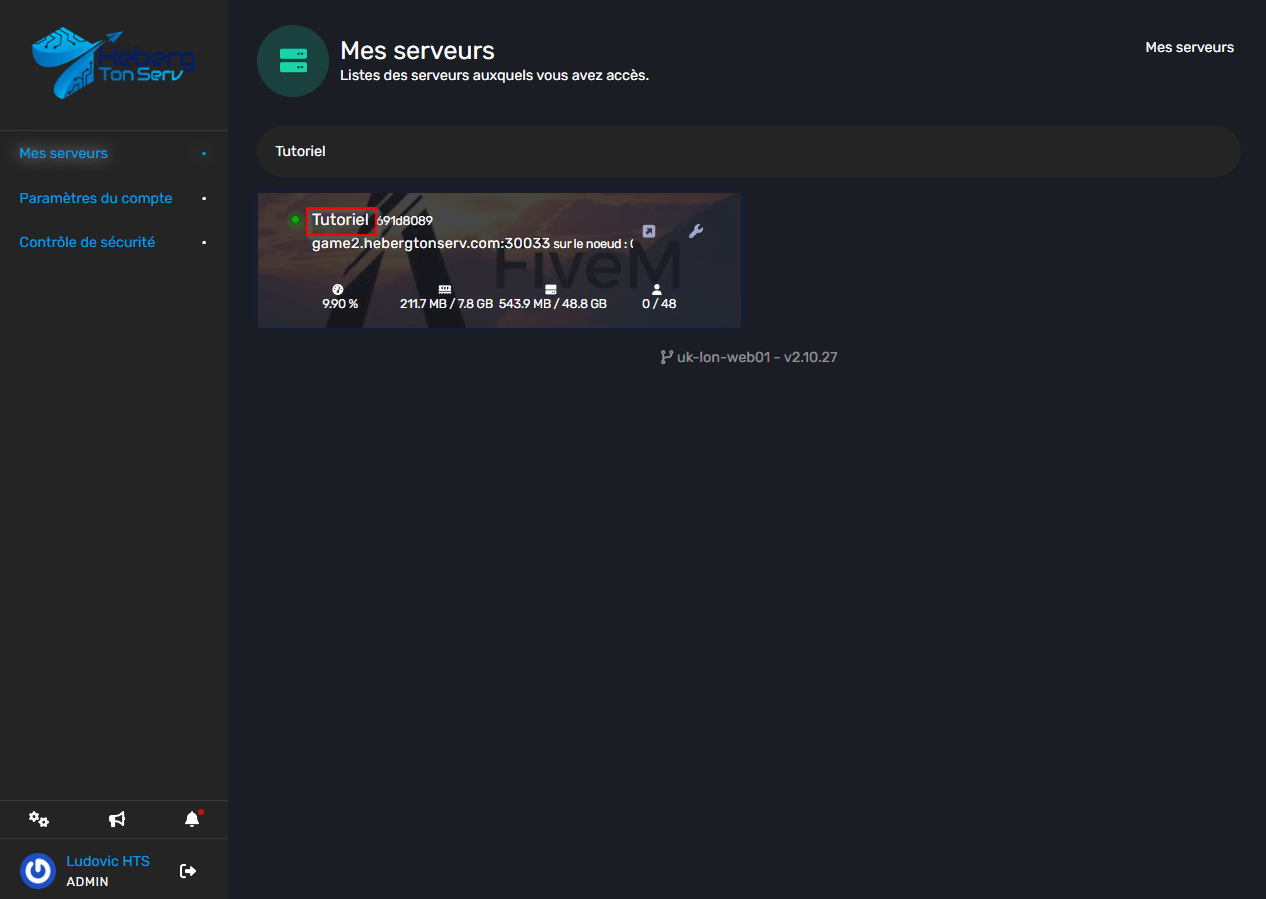
Step 1: Connect to your HebergTonServ panel
First, you’ll need to go to the panel at https://manage.hebergtonserv.com and then access your server
Step 2: Setting up the SQL connection
To set up the SQL connection, I invite you to copy this line and replace the corresponding elements (use my screenshot as a reference if you’re confused)
set mysql_connection_string "mysql://username:password@ip:port/database_name?charset=utf8mb4"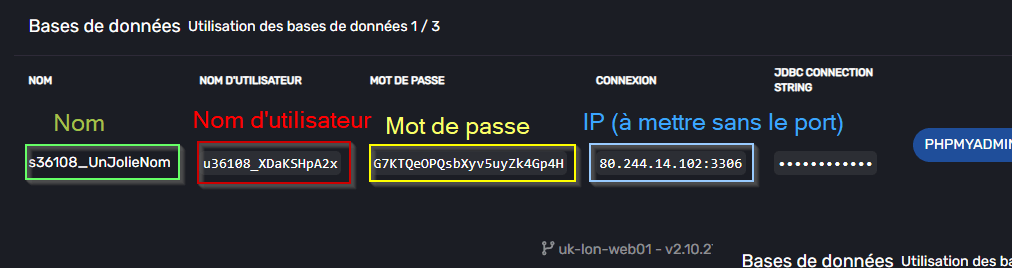
Troubleshooting common errors
Connection error
Problem: [ERROR] Failed to connect to database
Solutions:
- Check your connection information
Conclusion
The configuration of a MySQL database with your FiveM server is now complete! You can now:
- ✅ Store player data
- ✅ Create economic systems
- ✅ Manage inventories and vehicles
Useful resources
Need help? Our technical team is available to assist you if needed!